Before you request a ride
- Get connected. Have mobile data or Wi-Fi ready. If your app requests a verification code, make sure the registered number or email can receive it. A data-only eSIM may not include SMS.
- Save the exact destination. Keep your hotel’s Korean name, street address and entrance handy. Hotels with similar English names may be in different districts.
- Count people and bags. Check the selected vehicle’s capacity. Ask the provider in advance about a child seat, wheelchair access or oversized luggage.
- Choose now or later. An immediate request looks for a nearby driver. A scheduled ride needs a separate reservation option and confirmation.
Our practical advice: finish signup and add a payment method before your flight. App labels may vary with language and version; the steps below describe what to check.
Use k.ride for a visitor-friendly start
Kakao Mobility’s k.ride supports English, Japanese and Chinese, with multilingual destination search and translated driver chat. A Kakao account is not required.
- Install and sign upUse the official download page. Choose Google, Apple or email, then complete the contact details and verification requested by the app.
- Add paymentRegister an overseas-issued card or a mobile payment option offered in your app. Make sure registration succeeds before requesting a car.
- Set the pickup and destinationSearch for the destination and check its map pin. Adjust the pickup to the entrance or roadside location where you can actually meet the driver.
- Review, then requestCheck the vehicle, estimated fare and selected payment method. Use the reservation option if you need a later pickup; review the available times and terms.
- Meet the right carAfter a driver accepts, follow the pickup instructions. Use translated chat to clarify your location, and match the plate and driver details before boarding.
k.ride official site & downloads (new tab / 새 창)
Service and reservation features: Kakao Mobility (new tab / 새 창) · Signup terms (new tab / 새 창)
Can visitors use Kakao T?
Yes. Kakao Mobility provides guidance for users with overseas phone numbers, and its payment FAQ supports overseas-issued Visa, Mastercard, JCB and AMEX credit or debit cards for taxis. Successful registration still depends on the app’s checks and your card issuer.
- Sign in and complete verificationInstall Kakao T, sign in with your Kakao account and follow the verification shown for your account. If you cannot finish it, try k.ride or another provider before you need to travel.
- Choose Taxi and your routeEnter both pickup and destination. Check the exact place and the vehicle option; do not assume every taxi product has the same fare or payment rules.
- Check payment before callingOpen the payment selector on the request screen and apply your available method. Choose an overseas-card option where offered. Direct payment is only an option when the selected product offers it.
- Confirm the ride and keep the recordCheck the vehicle plate when it arrives. After the ride, open the trip record to check the final fare and payment status.
If automatic payment is selected, check before paying the driver again. The estimated amount may be charged and reversed before the actual fare is collected. Compare the trip record with your card transactions if two alerts appear.
An estimate is not a guaranteed final fare: traffic, the route and travel time can change the amount.
Kakao T official site (new tab / 새 창)
Official visitor report (new tab / 새 창) · Overseas-card FAQ (Korean) (new tab / 새 창) · Taxi payment FAQ (Korean) (new tab / 새 창)
Already have Uber? Use the same app.
VISITKOREA confirms that travelers can use their existing Uber app and payment information to request Uber Taxi in Korea. Driver messages can be translated in the app.
- Enter the tripOpen Uber, enter your destination and confirm the pickup pin. Select a taxi option available at your location.
- Review the detailsCheck the estimate, payment method and any fees before confirming. If you want to travel later, check whether a reservation option is offered for this trip.
- Meet, ride and check paymentFollow the app’s pickup instructions. Match the driver, car and plate; after arrival, check the receipt in your trip history.
Reserve an airport pickup with International Taxi
International Taxi is a Seoul-designated service with foreign-language drivers. Its website offers English, Japanese and Chinese language preferences. The booking form requires at least 24 hours’ notice and uses Korea Standard Time (KST, UTC+9).
- Choose the correct airport terminalSelect Incheon T1, Incheon T2 or Gimpo as appropriate, then enter your destination address. Check the arrival terminal on your airline’s information.
- Set your date and time in KSTAllow for immigration and baggage collection. Ask the provider how to choose the pickup time and what happens if your flight is delayed.
- Add passengers, luggage and contact detailsChoose a suitable vehicle and preferred language. Enter a reachable phone number and email. Provide flight details if requested; ask about special requirements before confirming.
- Review the price and conditionsConfirm what the quote includes: tolls, parking, waiting, extra stops and cancellation charges. Check how and when you will pay.
- Save the confirmed bookingCheck the confirmation email and meeting instructions. Keep the booking reference and provider contact handy; sending a request alone is not proof of a confirmed ride.
Already at Incheon Airport? Follow signs to the official taxi stands or ask at the International Taxi desk. For an app ride, follow that app’s assigned pickup point. A general taxi queue and a reserved pickup point may be different.
Open official International Taxi booking (new tab / 새 창)
Incheon Airport: current taxi stands & guidance (new tab / 새 창)
Service and confirmation information (new tab / 새 창) · Bookings are completed with the provider, not on EZKoreaTravel.
Taking a taxi without an app
Use a marked taxi stand, or ask your accommodation’s front desk to help arrange a taxi. Show the Korean destination address and ask about payment before boarding. At the airport, use the designated stands instead of following someone offering an unarranged ride.
Standard taxis generally use a meter. Fares vary by city and vehicle, and late-night or out-of-area charges can apply. Tips are not expected. International Taxi airport zone fares follow separate conditions; do not apply them to every taxi ride.
VISITKOREA: taxi types and payment (new tab / 새 창) · Airport taxi guidance (new tab / 새 창)
When something does not work
Do I need a Korean phone number?
Do not assume that every service requires one: Kakao Mobility provides guidance for users with overseas phone numbers. What matters is completing your chosen app’s verification and being reachable. Check this before travel, especially with a data-only SIM.
My overseas card will not register.
Check the card details, the available overseas-card option and your issuer’s online/international payment settings. Another supported card or provider may work. If you choose a taxi stand instead, agree an accepted payment method before the ride.
No driver is accepting my request.
Check your network connection and pickup pin. Move to a safe, accessible pickup point if necessary. Try another service, a marked taxi stand or your hotel’s front desk. Availability can be limited at busy times or in less central areas.
Will my driver speak English?
An English-language app does not guarantee an English-speaking driver. Use the app’s translated chat where available, or show a Korean address. If a particular language matters, request it through a service such as International Taxi and check the confirmation.
I may have paid twice, or left something behind.
Keep the trip record, plate number and receipts. In Kakao T, open My Info → Trip History, select the ride and use the relevant inquiry or driver-contact option. In other apps, open that trip’s help section. Check payment status before making another payment.
Kakao T: payments, trip records & lost items (new tab / 새 창)
Useful Korean to show your driver
Save your destination address separately, then show the matching sentence.
- Please take me to this address.
- 이 주소로 가 주세요.
- I am waiting at this entrance.
- 이 입구에서 기다리고 있어요.
- Can I pay with this card?
- 이 카드로 결제할 수 있나요?
- Could I have a receipt, please?
- 영수증 주세요.
Official sources & review notes
Checked on 26 September 2026. Service rules and app screens can change; use the official links for the conditions of your trip. Practical preparation tips are our editorial guidance. This guide does not show live availability or confirm bookings.
- Kakao Mobility · k.ride (new tab / 새 창)
- k.ride · Official visitor guide (new tab / 새 창)
- k.ride · Terms of service (new tab / 새 창)
- Kakao Mobility · Foreign visitors using Kakao T (new tab / 새 창)
- Kakao T · Overseas-card payment FAQ (new tab / 새 창)
- Kakao T · Taxi payment and trip FAQ (new tab / 새 창)
- Uber Taxi Korea · How to ride (new tab / 새 창)
- International Taxi · Booking conditions (new tab / 새 창)
- International Taxi · Service and confirmation (new tab / 새 창)
- Incheon Airport · Taxi guide (new tab / 새 창)
- Korea Tourism Organization · Taxi guide (new tab / 새 창)
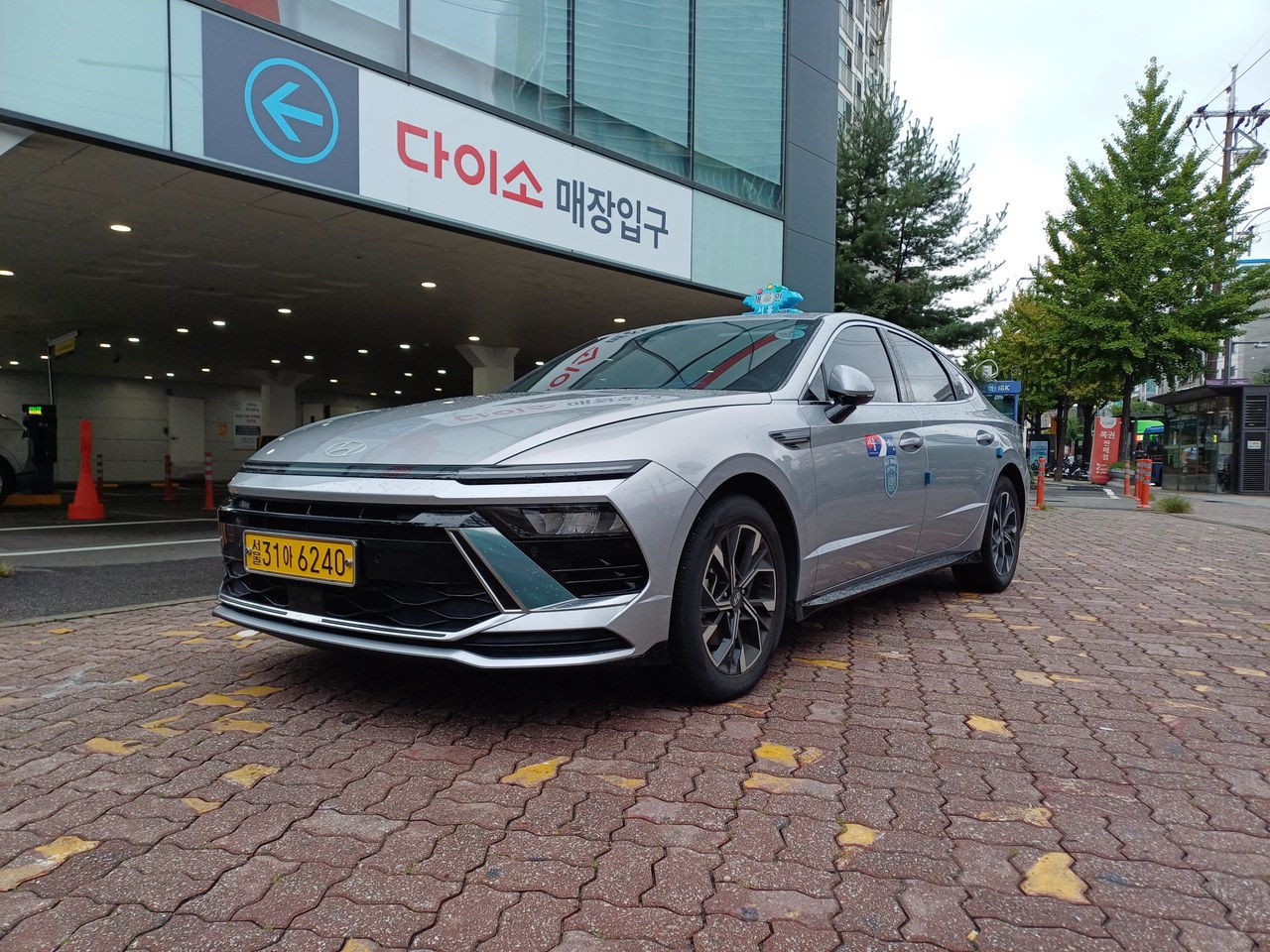
Photo source & datesTaken 2025-09-01
- Photographer / source
- 어썰트 (new tab / 새 창)
- Licence
- CC0 1.0 (new tab / 새 창)
- Date photographed
- Photo source checked
- On-site check by EZKoreaTravel
- Not recorded
Reference photograph, resized, converted and cropped for display. A source check is not an on-site inspection by EZKoreaTravel and does not confirm the location’s current condition.